Press
edytlab press kit
A paragraph you can paste, facts checked against the source, and the logo and demo files. There is no press office; questions go to GitHub.
Boilerplate
edytlab is a free, open-source desktop audio editor where you edit by chatting with an AI agent. The agent turns a request such as “time-stretch the second track to match the first, crossfade, and export a WAV” into calls to 115 deterministic audio tools. The tools run locally in a Rust engine on the user's own computer, so audio files are never uploaded; only the chat goes to the language-model provider the user selects (Anthropic, OpenAI, OpenRouter, Groq, Gemini, or Ollama for a fully local setup, or the user's own ChatGPT Plus or Pro plan through OpenAI's Sign in with ChatGPT, a preview). Every edit is saved as a node in a branchable history, with undo and A/B comparison. edytlab runs on macOS, Windows and Linux, is released under the MIT license, and its source is at github.com/laadtushar/edytlab.
Fact sheet
| Platforms | macOS (one universal build for Apple Silicon and Intel), Windows 10 and 11, Linux |
|---|---|
| Installers | .dmg, .msi and NSIS .exe, .deb and AppImage |
| Signing | Not signed or notarized yet, so macOS and Windows warn on first launch. The release notes give the steps. |
| License | MIT |
| Built with | Tauri 2, Rust, React; pure-Rust audio DSP |
| Tools | 115 deterministic tools the agent can call (full reference) |
| AI providers | Six API providers plus the user's ChatGPT plan: Anthropic, OpenAI, OpenRouter, Groq, Gemini, and Ollama (local, no key), and Continue with ChatGPT, which uses a ChatGPT Plus or Pro plan's included usage instead of a key (a preview; it may not be available on workspace plans, which depends on OpenAI and your admin) |
| Where audio goes | Nowhere. Processing is local. Only chat text goes to the provider you choose, which includes the words a transcription finds but never the audio. |
| Telemetry | None in the app. This website uses anonymous Vercel analytics (Web Analytics and Speed Insights); see Privacy. |
| Safety option | “Plan first” shows the agent's steps for approval before they run |
| Export formats | WAV, AIFF, FLAC, MP3, OGG (Opus) |
Local models
Stem separation and speech transcription work on your computer, once the user has downloaded each model in Settings (about 171 MB and 139 MB). Stems are estimates: each carries a little of the others.
What is not shipped
Please state this plainly if you cover edytlab.
- It edits files offline. It is not a live DJ tool and it is not a DAW: there is no MIDI and no VST or CLAP plugin hosting.
- There is no web or mobile version.
There are no user counts, download statistics, benchmarks, testimonials or awards to cite.
Logos and demo video
These files are in the project's MIT-licensed repository. There are no separate brand guidelines. Write the name in lowercase: edytlab.
- Logo (SVG) — Vector, for print and large sizes
- Logo (PNG) — 512 × 512
- Icon 512 — 512 × 512
- Icon 192 — 192 × 192
- Demo video (MP4) — Beatmatch and blend two tracks, with sound
- Demo video poster (JPG) — 1280 × 776

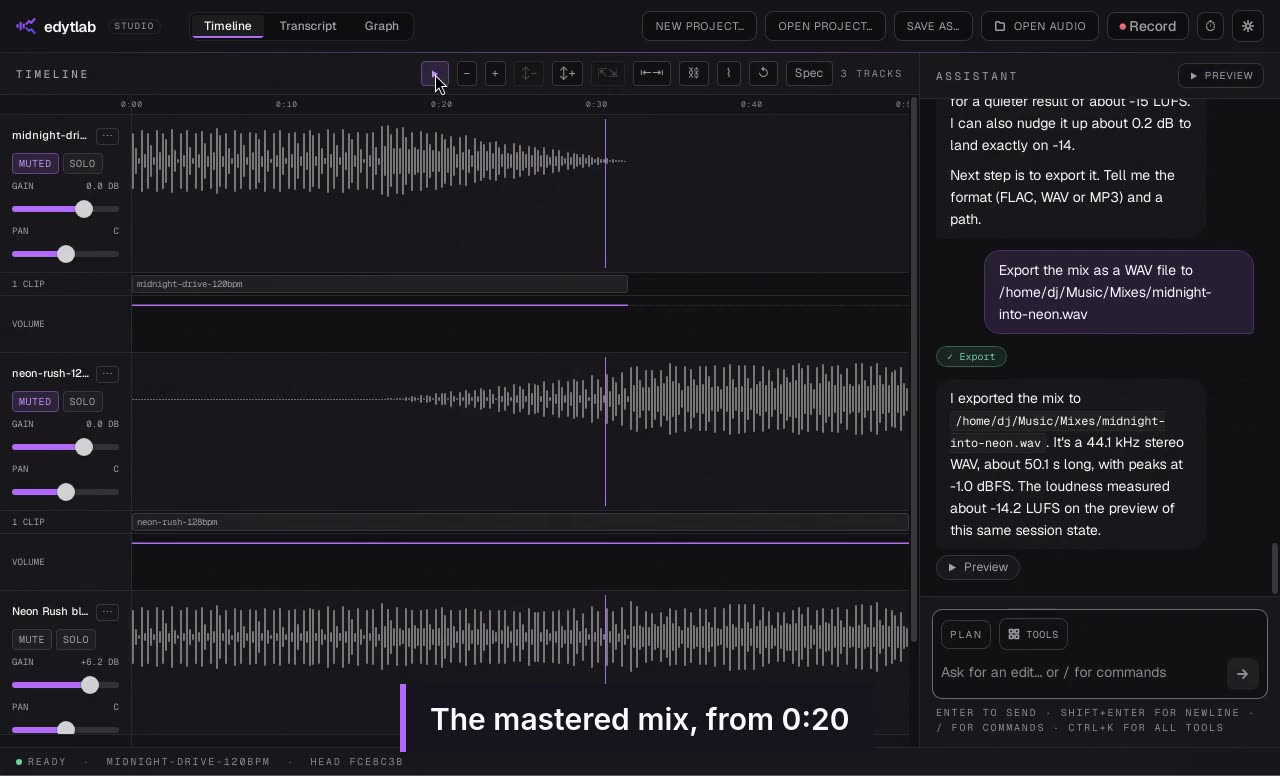
Screenshots of the interface are not published as files. The demo video shows the real app, and the release builds are free to download and capture yourself.
Contact
Open an issue at github.com/laadtushar/edytlab/issues. The maintainer is @laadtushar on GitHub.
More: AI audio editor for DJs, local-first AI audio editor and privacy.